How to Get More Google Reviews for Your Window Tint Shop (Script Included)
Google reviews are the most underused growth tool in the tint industry. They directly impact your Google Maps ranking, your click-through rate, and your conversion rate — yet most tint shops average fewer than 2 new reviews per month.
Here is a system that will get you 8–12 new reviews per month without being pushy, annoying, or violating Google's policies.
Why Reviews Matter More Than You Think
Reviews affect your tint shop in three measurable ways:
1. Google Maps ranking. Review quantity and velocity are among the top 3 ranking factors for the local map pack. A shop with 150 reviews that gets 5 new ones per month will outrank a shop with 300 reviews that stopped getting new ones 6 months ago.
2. Click-through rate. When someone sees two tint shops on Google Maps — one with 4.8 stars and 120 reviews, another with 4.2 stars and 23 reviews — they click the first one 4x more often.
3. Conversion rate. 87% of consumers read online reviews for local businesses. For a high-ticket service like ceramic tint ($400–$800), customers absolutely check reviews before booking.
When to Ask: The 10-Minute Window
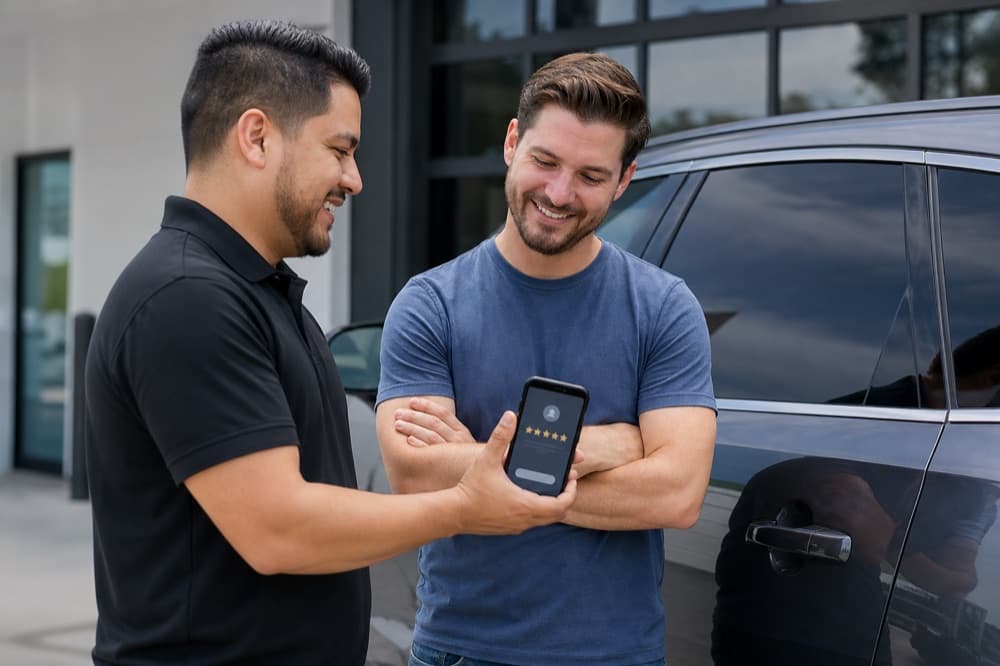
Timing is everything. The best moment to ask for a review is immediately after the customer sees their finished tint job for the first time. That is the emotional peak — they are excited, impressed, and feeling good about their purchase.
This means asking while they are still at your shop, within 10 minutes of handing them their keys.
Do not wait until the next day. By then, the excitement has worn off and asking for a review feels like a chore.
The In-Person Ask (Word-for-Word Script)
Here is exactly what to say when the customer is admiring their freshly tinted vehicle:
"Hey [Name], the tint looks great on your [vehicle]. Quick question — would you mind leaving us a Google review? It really helps other people find us. I can text you the link right now so it takes about 30 seconds."
Then immediately text them the direct review link. Do not tell them you will "send it later." Do it while they are standing in front of you.
How to get your direct Google review link: 1. Search for your business on Google 2. Click "Write a review" 3. Copy the URL from the address bar 4. Use a URL shortener to make it clean (e.g., bit.ly/yourshopreview)
The Follow-Up Text (Automated)
For customers you miss in person, or as a backup, send an automated text 2 hours after their appointment:
Hi [Name]! Thanks for choosing [Shop Name] for your window tint today. We hope you love the results! If you have 30 seconds, a Google review would mean a lot to us: [Review Link]. Thanks again!
This text should be automated through your CRM or booking system. Send it once — do not follow up if they do not respond. One ask is professional; two is pestering.
Responding to Every Review
Responding to reviews is almost as important as getting them. Google has confirmed that review responses factor into local ranking algorithms.
For positive reviews (5 stars):
Thank you so much, [Name]! We loved working on your [vehicle type]. Enjoy the ceramic tint — and the cooler interior this summer. See you next time!
Keep it personal. Mention something specific about their job. This shows future readers that you pay attention to your customers.
For negative reviews (1–3 stars):
[Name], thank you for your feedback. We take this seriously and want to make it right. Please reach out to us directly at [your shop] so we can discuss this. We stand behind our work and want you to be 100% satisfied.
Never argue in a review response. Never get defensive. Potential customers are reading how you handle criticism — and a professional, calm response actually builds trust.
Handling Fake or Unfair Reviews
Occasionally you will get a review from someone who was never a customer, or a competitor trying to damage your reputation. Here is what to do:
- . **Flag it with Google.** Go to the review, click the three dots, and select "Flag as inappropriate." Google reviews it (this can take weeks).
- . **Respond professionally anyway.** Write: "We don't have a record of your visit, but we'd love to resolve any concerns. Please contact us directly so we can look into this."
- . **Bury it with volume.** The best defense against a negative review is 20 positive ones after it. Increase your review generation efforts.
Review Gating: What Not to Do
Google explicitly prohibits "review gating" — the practice of asking customers about their experience first, then only sending happy customers to Google while routing unhappy customers to a private feedback form.
Do not do this. If you get caught, Google can remove all your reviews. Instead, ask every customer the same way, and handle negative reviews through excellent customer service.
Automating the System
Here is a simple automation setup:
Option 1: Manual with a template Save the review request text as a template in your phone. After every job, send it manually. Takes 15 seconds.
Option 2: CRM automation If you use a CRM, set up an automated workflow: - Job marked as complete → wait 2 hours → send review request text - If no review after 5 days → send one gentle reminder - Stop after that
Option 3: Dedicated review tool Platforms designed for review generation can handle the entire flow, including tracking which customers have left reviews and which have not.
The Numbers You Should Track
- **Review velocity:** How many new reviews per month? Aim for 8–12.
- **Average rating:** Maintain 4.5+ stars. Below 4.3 and you start losing clicks.
- **Response rate:** Respond to 100% of reviews. No exceptions.
- **Review-to-job ratio:** What percentage of customers leave a review? Aim for 30%+.
Start Today
You do not need a fancy tool to start. After your next tint job, try the in-person script. Send the follow-up text. Respond to your existing reviews. These three actions, done consistently, will transform your Google presence within 90 days.
Want us to handle this for you?
Start your free 14-day trial. We build and launch everything while you focus on tinting.
Start Free Trial